A strong Kling AI prompt sets the physical material and light first, splits camera moves and actions into whole-second ranges, assigns one clear job to each reference, and finishes with sound plus what must stay fixed. This Kling 4.0 prompt guide gives you 12 copy-paste briefs across the six formats you actually want to make: luxury product and car commercials, editorial fashion films, 21:9 action, multi-reference continuity, 30-second long takes with spoken dialogue, and vertical 9:16 social openers. Paste any prompt below into Kling 4.0 or Kling 4.0 Flash in ChatCut, watch the unedited clip it produced right underneath, and use the takeaway and fix note to swap in your own subject.
Updated November 15, 2026: Rewritten from our earlier Kling 3.0 prompt list for Kling 4.0 and Kling 4.0 Flash, with every prompt paired with the unedited video it generated in ChatCut. For benchmark comparisons against Kling 3.0 and credit rates, read our Kling 4.0 review.
Which Kling 4.0 Prompt Should You Copy First?
| Category | Prompts | Inputs used | Core technique demonstrated |
|---|---|---|---|
| Luxury product & car ads | 1–2 | Text | Moving sunlight caustics on glass; three-shot 21:9 commercial cuts |
| Editorial fashion films | 3–4 | Text | Hard-sun color blocking; blue-hour neon reflections on patent leather |
| 21:9 action & wildlife motion | 5–6 | Text | Matched-speed tracking to aerial reveal; long-lens slow-motion snow spray |
| Multi-reference & keyframes | 7–8 | @first_frame, @last_frame, @image_1–@image_3, @video_1 | Exterior-to-interior frame bridge; copying a camera move without leaking its subject |
| 30s long takes & cinema dialogue | 9–10 | Text | Four-part 30-second gimbal journey; two-speaker lip sync with silent listening |
| Vertical 9:16 social openers | 11–12 | Text, @image_1 | Bass-drop lighting switch; studio packshot cutting to a model wearing the product |
How to Structure a Kling 4.0 Prompt
Kuaishou’s official Kling 4.0 User Guide notes two defaults that catch many writers off guard: Smart Storyboard (automatic multi-shot cutting) and native stereo audio are both active on every generation with no separate off switch, and there is no standalone negative-prompt box. Because of those defaults, how you open and close a Kling 4.0 prompt determines whether you get one smooth camera move or three jump cuts:
| Shot type | Opening & reference line | Timed action & camera beats | Closing audio & lock line |
|---|---|---|---|
| Unbroken single take (3 to 30 seconds) | Start with “One continuous shot with no cuts” plus lighting and lens mood | Split the full duration into whole-second windows (for example, 0-8s, 8-16s, 16-24s, 24-30s) describing where the camera travels | Name room tone and foley; state what stays identical; end with “No cuts, no text, no background music.” |
| Multi-shot commercial (Smart Storyboard) | Name total clip length, shot count, and aspect ratio mood | Number every cut on whole seconds: “Shot 1, 0-3s: … Shot 2, 3-6s: … Shot 3, 6-10s: …” | Describe how sound builds across cuts; lock vehicle or product geometry; forbid badges, logos, and subtitles |
| Frame or reference-locked shot | Assign one role per tag (@first_frame, @last_frame, @image_1, @video_1) | Direct only the motion between anchors, and explicitly strip unwanted elements from @video_1 | Lock face, wardrobe, or frame hardware to the reference; specify stereo ambience and exclusions |
Before copying the prompts below, check what is live in ChatCut’s Video Gen panel so your duration, ratio, and reference counts match the interface:
Checked in ChatCut on November 15, 2026.
| Control | Kling 4.0 in ChatCut | Kling 4.0 Flash in ChatCut |
|---|---|---|
| Clip duration | 3 to 30 whole seconds | 3 to 20 whole seconds |
| Output resolution | 720p or 1080p (24 fps) | 720p only (24 fps, faster drafts) |
| Aspect ratios | 21:9, 16:9, 9:16, 1:1 | 21:9, 16:9, 9:16, 1:1 |
| Frame anchors | First Frame (@first_frame) and Last Frame (@last_frame) | First Frame (@first_frame) and Last Frame (@last_frame) |
| Reference media | Up to 10 images total (frames included) + up to 5 videos (@video_1, 3 to 30 seconds each, 30 seconds total) | Up to 10 images total (frames included) + up to 5 videos (3 to 20 seconds each) |
| Native audio | Two-channel stereo always generated from prompt text (no audio file uploads) | Two-channel stereo always generated from prompt text (no audio file uploads) |
Luxury Product and Automotive Commercials
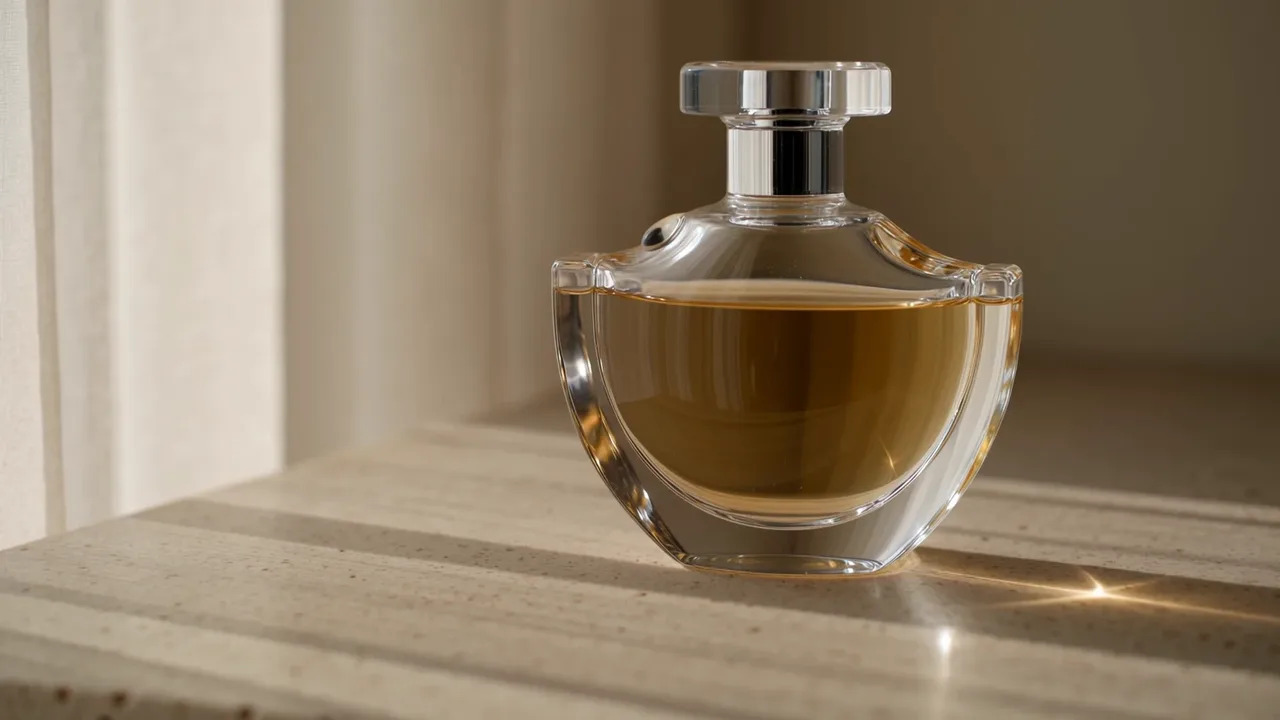
Commercial showcase clips look expensive when light moves across contrasting surfaces: refractive amber glass against matte porous stone, or warm streetlamp reflections sliding down wet metallic paint. Avoid vague words like “luxury” or “high-end” and name the light source and surface finish instead.
1. Sunlit Travertine Fragrance Packshot
Settings: Kling 4.0 · 16:9 · 10 seconds · 1080p · Text only
- Key prompt technique: Directing a breeze through a sheer linen curtain makes sunlight caustics ripple across both the glass flacon and the travertine stone, giving a locked tabletop packshot real optical motion while “no label, no text and no logo” keeps the glass free of invented lettering.
- What goes wrong and how to fix it: At 9.0 seconds in our render, the condensation bead sliding down the left shoulder hit the porous cream stone and spread into a slightly opaque tan puddle instead of a clear splash, while focus stayed locked on the glass. For clean fragrance spots, end the droplet action on the glass itself (“slides down the shoulder and clings to the base”) or trim the final second on the ChatCut timeline.
2. Three-Shot 21:9 Coastal Coupe Commercial
Settings: Kling 4.0 · 21:9 · 10 seconds · 1080p · Text only
- Key prompt technique: Leaning into Kling 4.0’s default Smart Storyboard with numbered whole-second beats (0-3s macro detail, 3-6s wheel-height tracking, 6-10s sweeping aerial) delivers a complete three-angle car spot in native 21:9 from a single generation.
- What goes wrong and how to fix it: Without an image reference, generating a second 10-second clip later will invent slightly different grille intakes and alloy spokes, and unprotected license plates fill up with gibberish characters. Always include “no badges” and “no number plate characters” for text-only spots, or attach a vehicle design sheet as
@image_1when cutting multiple clips together.
Editorial Fashion and Portrait Films
Fashion clips fall flat when the model overacts or stands in an ordinary room. Anchor the wardrobe against bold architectural color or dual-temperature twilight lighting, and explicitly dial facial movement down to calm, steady eye lines.
3. Hard-Sun Terracotta Wall Trench Walk
Settings: Kling 4.0 · 16:9 · 10 seconds · 1080p · Text only
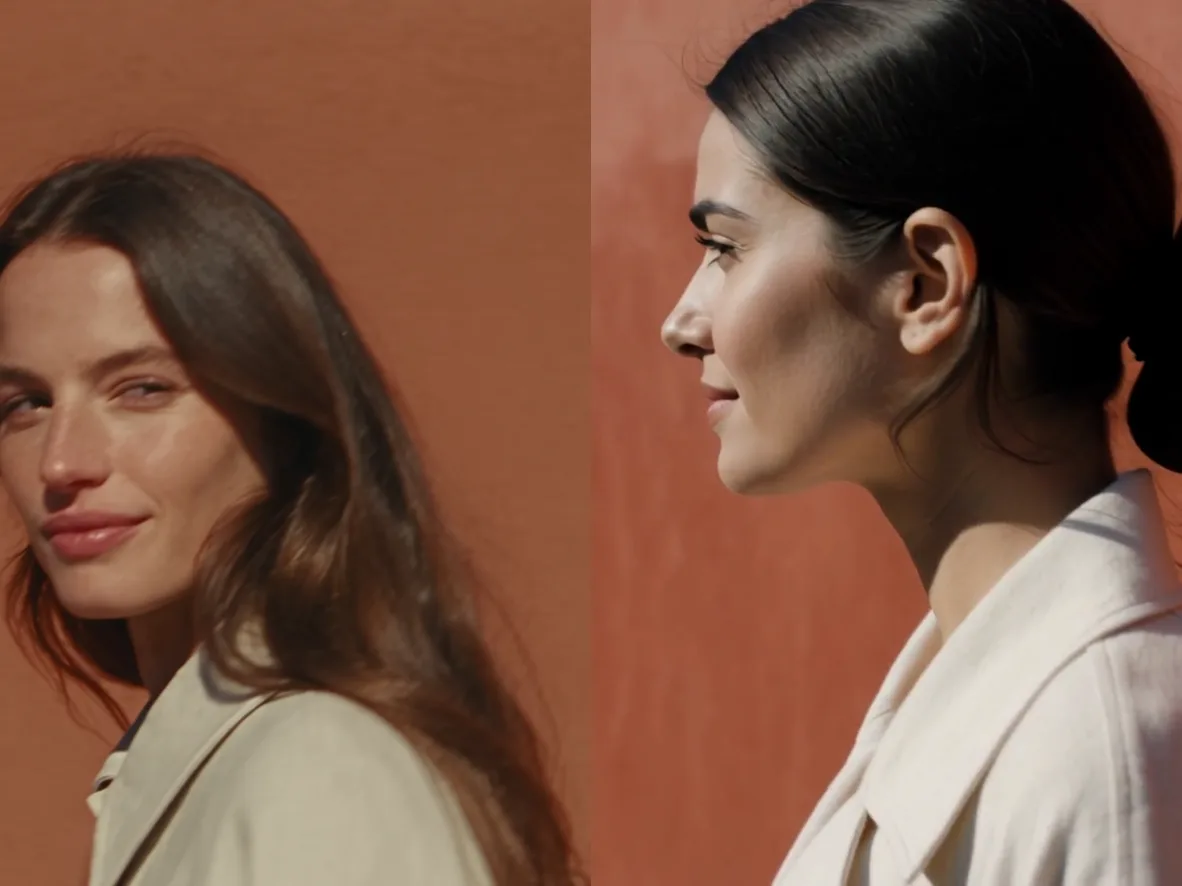
- Key prompt technique: Pairing two restrained colors (off-white linen against an open terracotta-red plaster wall) with a hard cast shadow and a single understated expression (“looks past the camera with a faint smile”) keeps skin texture and fabric weave grounded through the close-up arc.
- What goes wrong and how to fix it: Asking a fashion subject to smile broadly or gesture with both hands while walking often causes wandering gaze or stiff fingers. Keep hand choreography simple and give the eyes one fixed off-camera target.
4. Blue-Hour Desert Gas Station Leather Trench
Settings: Kling 4.0 · 16:9 · 8 seconds · 1080p · Text only
- Key prompt technique: Putting “One continuous shot with no cuts” at the very front stops Kling 4.0 from hard-cutting at the 4-second beat boundary, while contrasting glossy crimson patent leather against a deep cobalt twilight sky gives specular highlights a real surface to travel across.
- What goes wrong and how to fix it: Even with “no readable signs” at the end of the prompt, naming a “retro desert gas station” still placed blurred cursive neon strokes along the top edge of the canopy from 0 to 4.5 seconds before the push-in cropped them out. If you want zero sign lettering at the frame edge, describe a “plain concrete canopy rimmed with a solid red LED tube” instead of a gas-station fascia.
Cinematic Action, Sports, and Wildlife Motion
Fast motion holds up in Kling 4.0 when you tie the camera’s speed to the subject and write secondary physical cues (gravel dust, powder snow, visible cold breath) that prove the feet or paws are actually hitting the ground. For broader camera vocabulary across models, see our AI video prompts guide.
5. 21:9 Sunrise Coastal Ridge Runner
Settings: Kling 4.0 · 21:9 · 10 seconds · 1080p · Text only
- Key prompt technique: Sequencing one connected camera path (parallel side track, 90-degree arc to front medium, then crane rise) inside native 21:9 lets Kling 4.0 show both athletic stride mechanics and sweeping coastal scale without a cut.
- What goes wrong and how to fix it: Full-speed running limbs can occasionally stutter during a 180-degree camera wrap if the background is busy. Slowing playback in the prompt (“filmed at 60 fps slow motion”) or keeping the background open sky and sea stabilizes stride timing.
6. Blue-Hour Powder-Snow Wolf Track
Settings: Kling 4.0 · 16:9 · 10 seconds · 1080p · Text only
- Key prompt technique: Combining “slow motion with a long lens” and “last orange light low on the horizon behind” separates every airborne snow crystal and breath plume from the cold teal ground.
- What goes wrong and how to fix it: When we ran this exact prompt as a 720p draft on Kling 4.0 Flash during our model tests, “toward and past the camera” made the wolf brush right across the front element at 5.2 seconds, blurring into an out-of-focus fur smudge for over a second. If a fast animal or vehicle rushes too close to the lens, replace “toward and past the camera” with “at a steady ten-meter distance on a parallel track.”
Multi-Reference Worlds and Keyframe Continuity
When text alone cannot hold a character, costume, or camera trajectory across shots, switch to Kling 4.0’s visual inputs in ChatCut: First Frame (@first_frame) and Last Frame (@last_frame) pin where a shot starts and lands, while @image_1 through @image_10 and @video_1 separate cast design from camera choreography. (If your workflow relies on audio-file references or up to 30 images at once, compare our Seedance 2.5 prompts.)
7. Dawn Platform to Train Window (@first_frame + @last_frame)
Settings: Kling 4.0 · 16:9 · 10 seconds · 1080p · First Frame + Last Frame
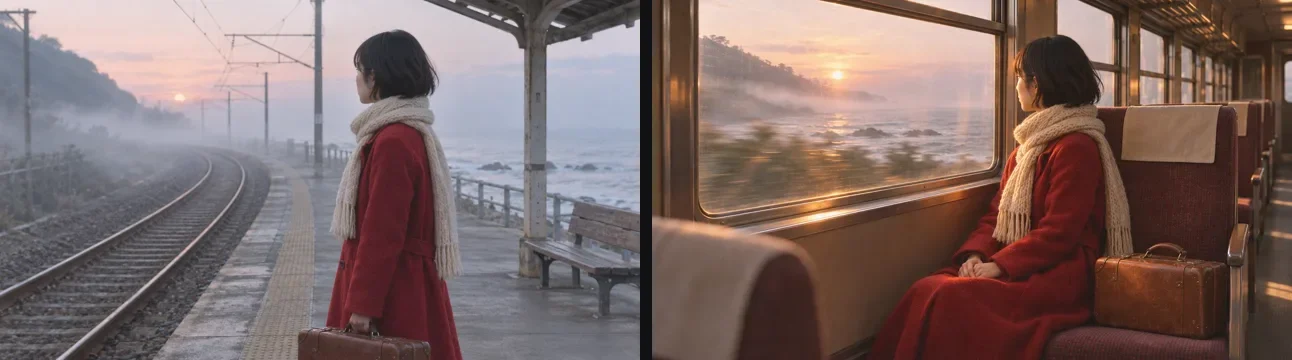
- Key prompt technique: Because
@first_frameand@last_framealready settle the look, costume, and framing of both locations, the prompt only has to explain the physical doorway connecting them (train arrives and opens doors in 0-5s; camera follows her inside to the seat in 5-10s). - What goes wrong and how to fix it: If you chain two separate First-to-Last-Frame clips back to back on the timeline to hit an exact midpoint pose, the visual join is nearly invisible, but each generation builds its own ambient sound bed so the audio floor jumps at the cut. Add a four-to-six-frame audio crossfade on the ChatCut timeline whenever you stitch frame-chained clips.
8. Stop-Motion Felt Cast With @video_1 Camera Transfer
Settings: Kling 4.0 · 16:9 · 10 seconds · 1080p · 3 reference images (@image_1–@image_3) + 1 reference video (@video_1)
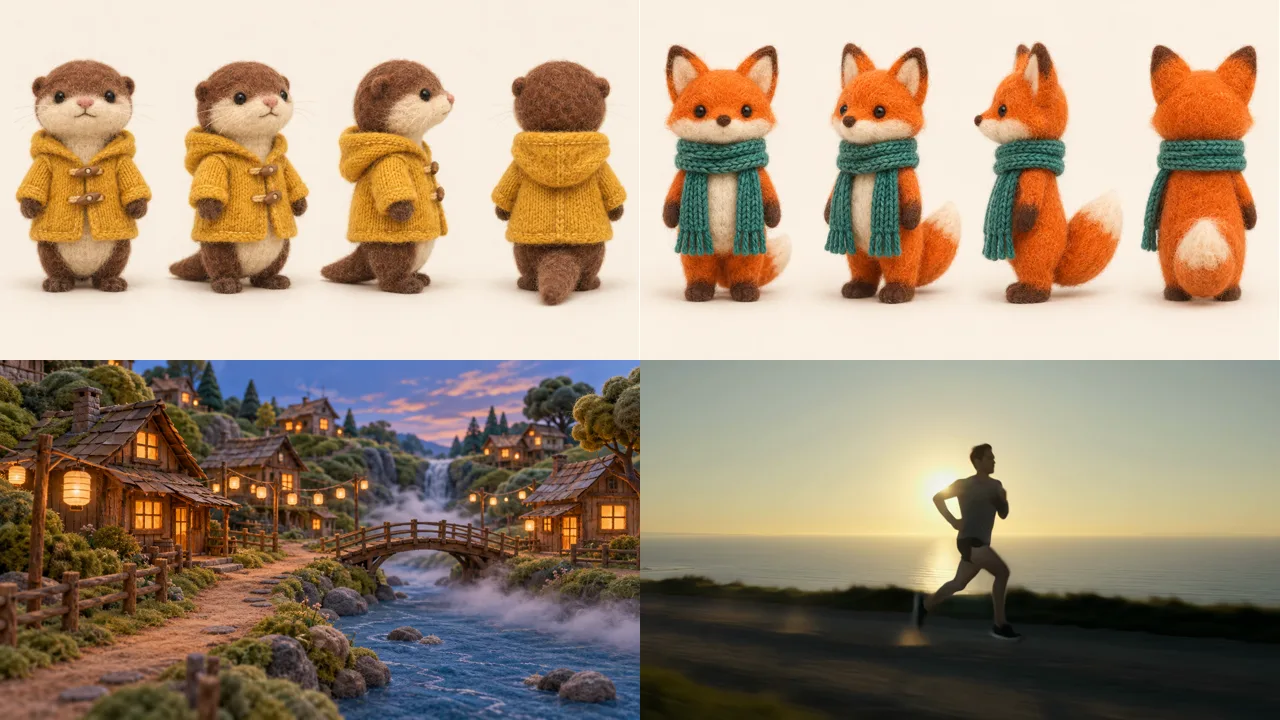
- Key prompt technique: Naming each asset’s exact job, pinning left/right screen positions (“otter is on the LEFT and the fox on the RIGHT”), and adding “Take only the camera move from
@video_1, not its person, road or sea” transfers a live-action gimbal arc onto stop-motion puppets with zero costume swaps or ocean bleed. - What goes wrong and how to fix it: Attaching multiple character turnarounds without restating key visual identifiers in parentheses (such as “mustard-yellow knitted raincoat” vs “teal-green knitted scarf”) often causes Kling to swap outfits between characters. Always pair each
@image_1tag with a short wardrobe cue and a left-or-right blocking rule.
30-Second Long Takes and Spoken Cinema Scenes
Doubling maximum clip length to 30 seconds and syncing multi-speaker dialogue are where Kling 4.0 feels closest to directing a live set, provided your time ranges cover the entire clip and your quoted lines fit comfortably inside each window.
9. 30-Second Unbroken Night Market to Rooftop Skyline
Settings: Kling 4.0 · 16:9 · 30 seconds · 1080p · Text only
- Key prompt technique: Giving every 6-to-8-second block a physical threshold to cross (market alley to doorway, metal stairs to rooftop, rooftop table to skyline edge) and matching the soundscape order to those four spaces keeps a 30-second gimbal shot moving purposefully instead of looping in place.
- What goes wrong and how to fix it: Around 1.5 seconds in our render, a hanging food-stall board on the left briefly showed unreadable pseudo-characters despite “no readable signs” at the end. When you need a completely text-free street market, replace “food stalls” with “unmarked canvas canopies and steaming steel woks with no hanging signboards.”
10. Rainy Neon Diner Two-Speaker Dialogue
Settings: Kling 4.0 · 16:9 · 8 seconds · 1080p · Text only
- Key prompt technique: Angling both actors forty-five degrees toward the lens, keeping each spoken line under eight words per four-second beat, and stating “while the other listens silently with lips closed” produces clean turn-taking lip sync and a natural one-second glance down at the brass key before the reply.
- What goes wrong and how to fix it: Two things commonly break dialogue scenes: packing twenty words into four seconds forces rushed, robotic delivery, and writing “street neon” outside a window still places a blurred neon sign box across the street (visible in the upper left here). Keep lines conversational (six to nine words per four seconds), and ask for “wet streetlamp and headlight bokeh” when you want zero sign shapes in the background.
Vertical 9:16 Social Openers and Beat Cuts
Vertical 9:16 clips win or lose in the first three seconds. Instead of filming a static person talking in a kitchen, open on high-contrast light or a tactile product macro and trigger a camera or lighting change on a clear audio beat.
11. 9:16 Warehouse Street-Dance Bass-Drop Cut
Settings: Kling 4.0 Flash · 9:16 · 6 seconds · 720p · Text only
- Key prompt technique: Tying a visual state change (white overhead pool to warm-amber and cyan back-wall LEDs) and an angle drop (wide full-body to knee-height low angle) to the exact 2-second bass drop creates an instant hook for Reels, TikTok, or Shorts.
- What goes wrong and how to fix it: Rapid arm isolations on 720p Kling 4.0 Flash still pick up slight wrist blur on fast beats, and omitting “no vocals, no lyrics” on music prompts often invites mumbled pseudo-singing. Draft the timing on Flash, add “no vocals,” and re-render your chosen take on 1080p Kling 4.0 for sharper hand detail.
12. 9:16 Cobalt Eyewear Campaign Opener (@image_1 Product Reference)
Settings: Kling 4.0 · 9:16 · 7 seconds · 1080p · 1 product reference image (@image_1)
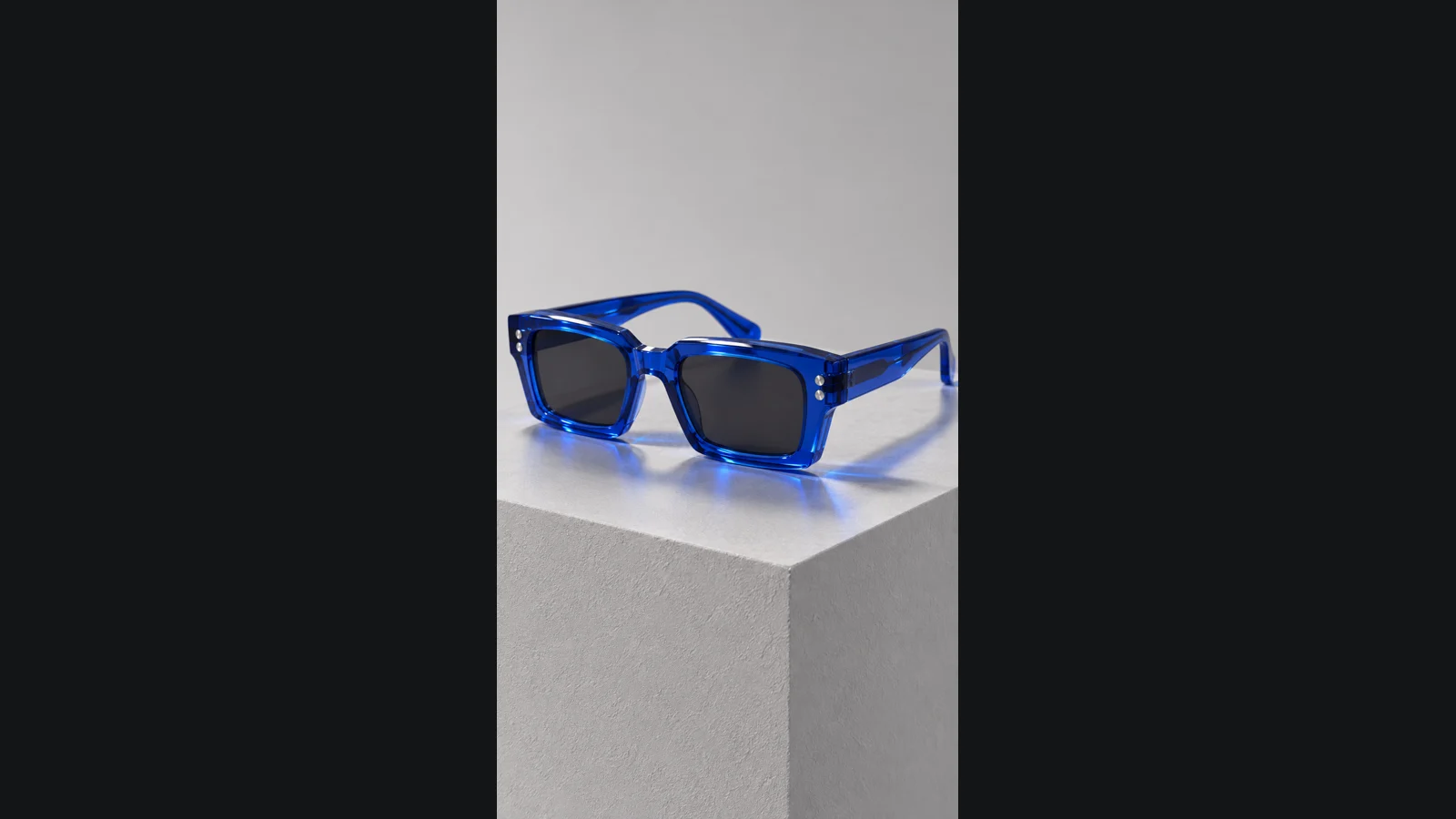
- Key prompt technique: Repeating the physical hardware traits of
@image_1(“translucent cobalt-blue thick-frame rectangular acetate sunglasses with two silver temple pins”) across both shots keeps the exact product intact when transitioning from a studio macro plinth to a model outdoors. - What goes wrong and how to fix it: Look closely at the cut timing: we wrote a fractional timestamp (“0-2.5s” and “Hard cut at 2.5s”), and while the audio shutter click and snare hit landed right at 2.45 seconds, Kling 4.0 rounded the visual cut up to 3.00 seconds, leaving half a second of empty plinth after the hand lifted the glasses out of frame. Always place shot cuts on whole seconds (such as 0-3s and 3-7s), or trim those 12 extra frames on the ChatCut timeline so the cut lands dead on the snare hit.
Quick Troubleshooting Table for Kling Prompts
Every row below comes from an actual quirk we hit while rendering the clips for this guide and our Kling 4.0 review:
| Symptom in output | Why Kling 4.0 did it | Exact prompt edit to make |
|---|---|---|
| Unexpected jump cut mid-clip | Smart Storyboard is on by default and treats timed beats or “then push in to a close-up” as an edit point | Put “One continuous shot with no cuts” in sentence one and repeat “No cuts” at the end |
| Sound hit and visual cut miss by ~0.5s | Half-second timestamps (like 2.5s) trigger audio on time while visual cuts round to whole seconds (Prompt 12) | Write all shot boundaries in whole seconds (0-3s, 3-7s), or trim the gap on the ChatCut timeline |
| Both actors move their lips at once | Dialogue lines were not assigned exclusive time windows or listener rules | Put each quoted line in its own time range and add “while the other listens silently with lips closed” |
| Unwanted background music or burned-in subtitles | Native stereo audio is always active and invents music or captions when sound is left vague | End with a specific “Sound: …” foley line plus “No background music, no vocals, no subtitles” |
@video_1 leaks its original person or scenery | Reference video was attached without restricting what Kling should borrow | Add “Take only the camera move from @video_1, not its person, road or background” (Prompt 8) |
| Garbled text on shop signs or bottles | Background stalls, neon fascias, or labels trigger invented pseudo-lettering (Prompts 4, 9, 10) | Specify “no label, no text and no logo” on products, and replace “food stalls / street neon” with “unmarked canvas canopies / headlight bokeh” |